
Turn any YouTube video to notes
Paste a class or lecture link and get clean notes, flashcards and a quick quiz. The simplest way to go from YouTube video to notes you can actually revise from.
- Short notes, Cornell notes or a revision sheet
- Flashcards and a practice quiz from the same video
- Edit and save your notes in one place
From a long class to one page of notes
Online classes are great, but notes from them take ages to write. MakeMyNote listens to the class for you and pulls out what matters: the definitions, the key points and the bits your teacher kept repeating.
How it works
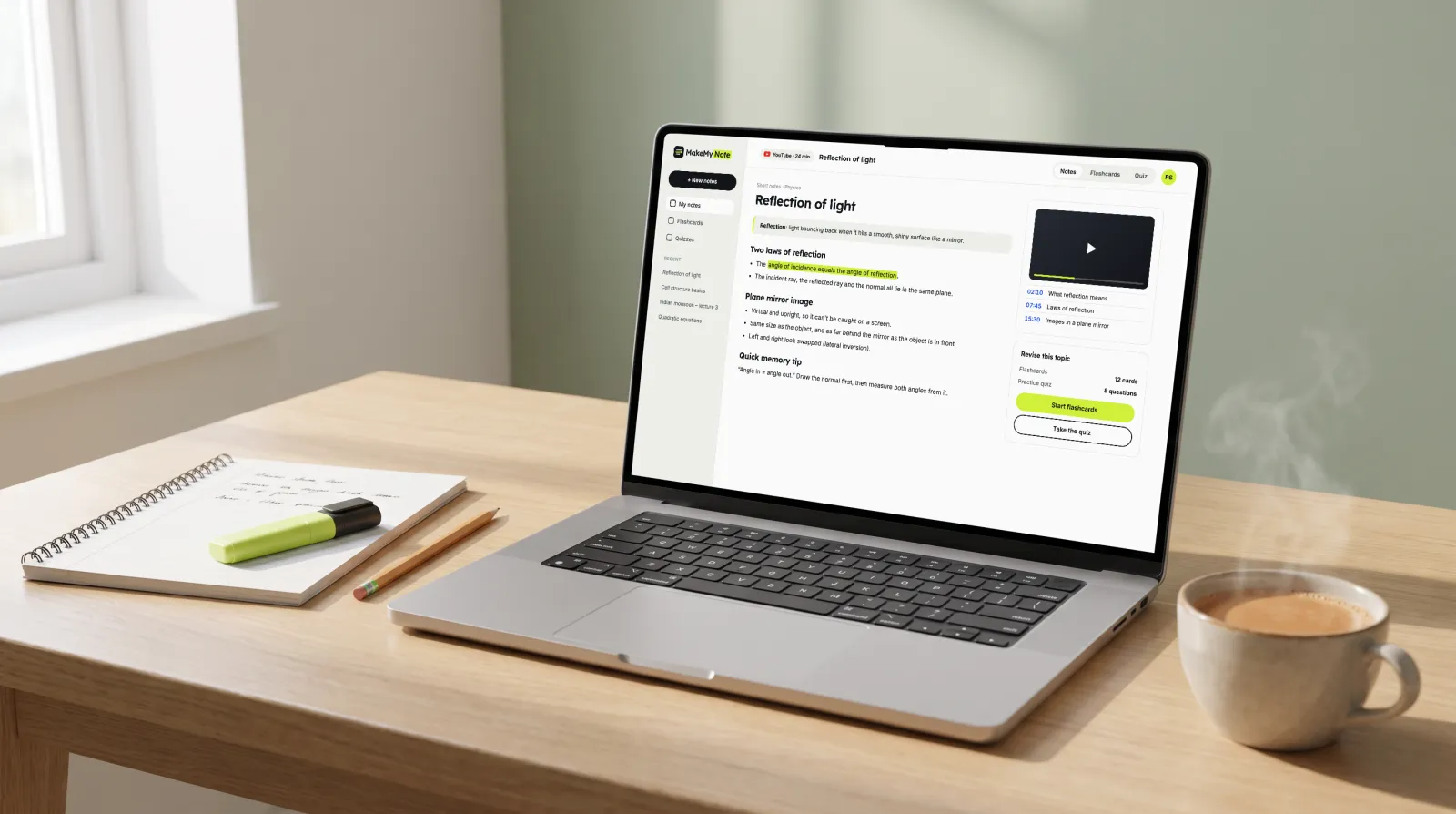
- Paste the link. Copy the link of any YouTube class, lecture or explainer and paste it in.
- Pick a format. Choose short notes, Cornell notes or a revision sheet, depending on how you like to study.
- Revise your way. Read and edit your notes, then turn them into flashcards or a practice quiz.
What your notes look like
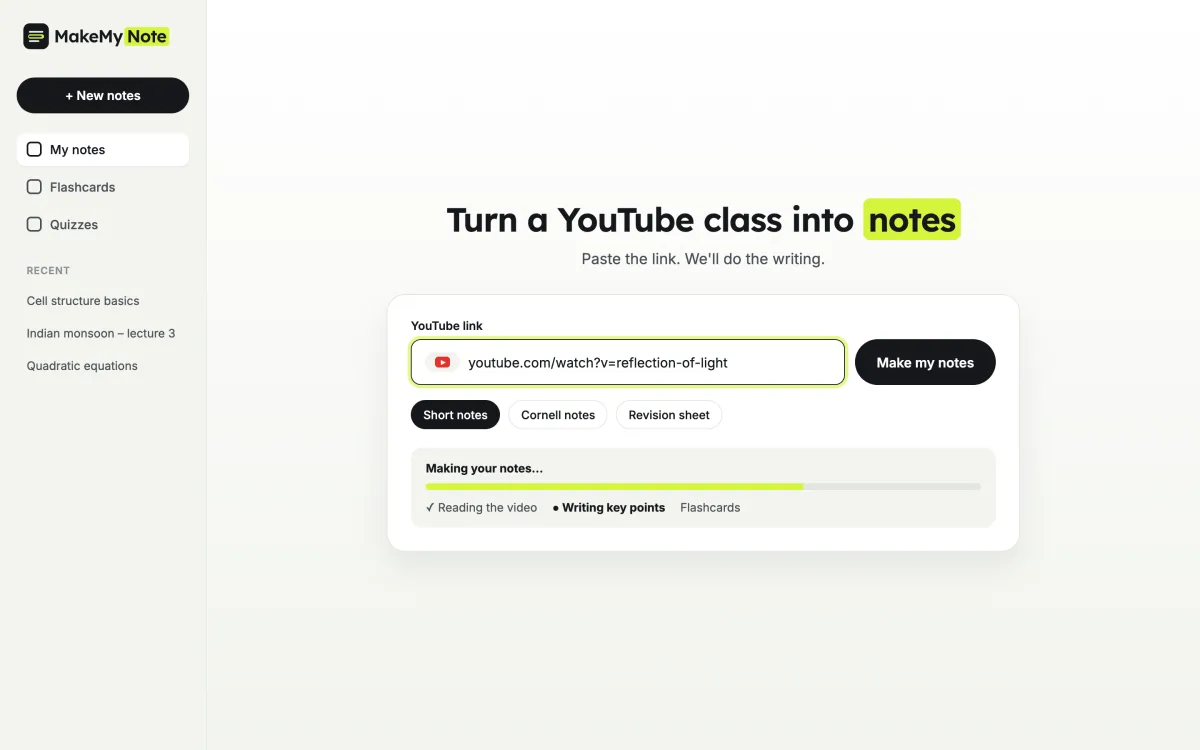
Here is a short example made from a physics class on reflection of light. Every set of notes follows the same simple pattern, so revision feels familiar.
- A one-line definition at the top
- Key points under clear headings
- The most important line highlighted
- A quick memory tip and flashcards to test yourself
Short notes · Physics
Reflection of light
Reflection: light bouncing back when it hits a smooth, shiny surface.
- The angle of incidence equals the angle of reflection.
- A plane mirror makes an upright image of the same size.
- Left and right look swapped in the image.
Memory tip: “Angle in = angle out.” Draw the normal first, then measure both angles from it.
Then test yourself with flashcards
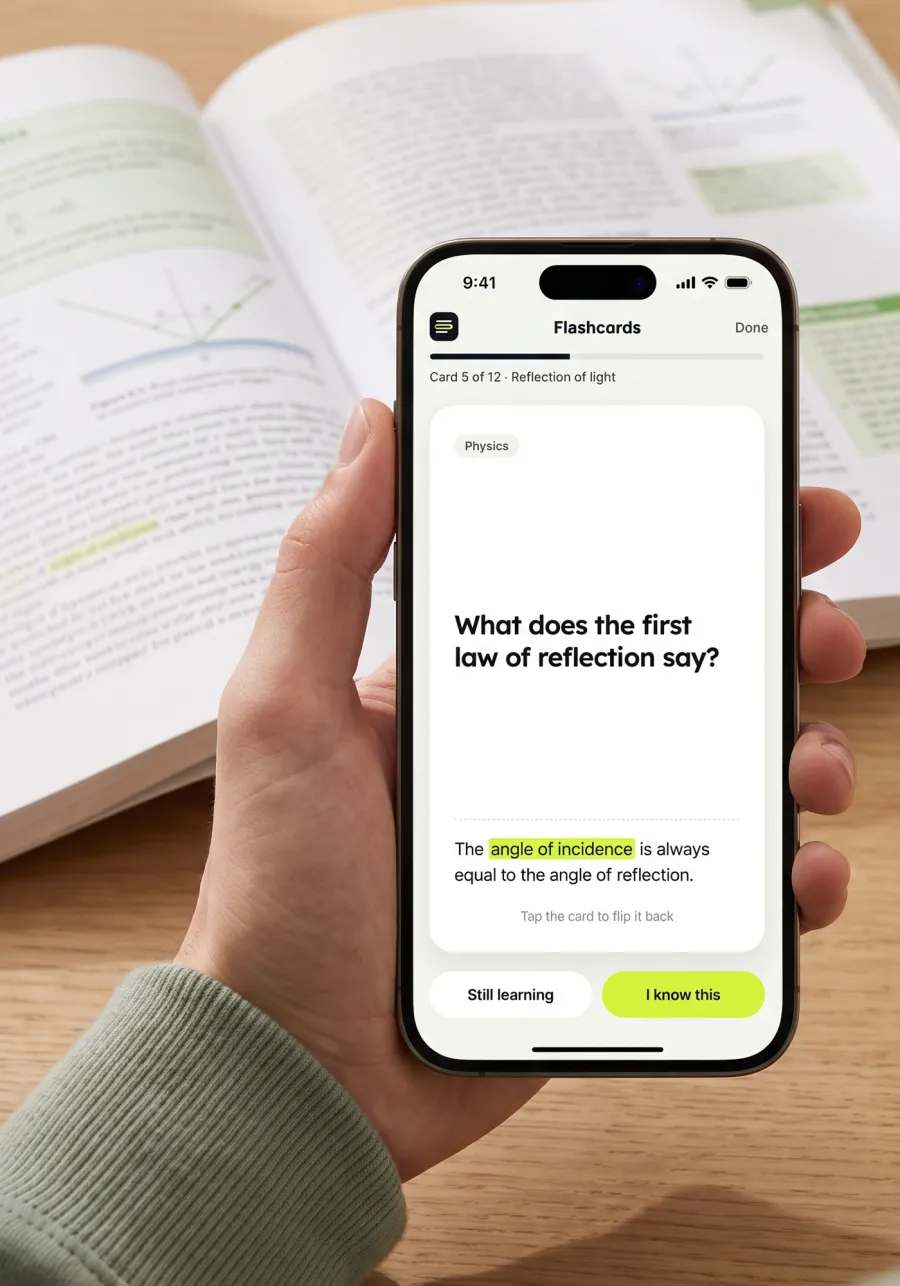
Reading notes is only half of revision. MakeMyNote turns the same video into flashcards and a short practice quiz, so you can check what you remember and spend your time on what you don’t.
- Flashcards made from your own notes
- Practice questions with a short explanation for each answer
- Works on your phone, so you can revise on the go
Pick the notes format that suits you
Short notes
Headings and crisp bullet points. Best for a first read and quick revision.
Cornell notes
Cues on the left, notes on the right and a summary at the bottom. Great for self-testing.
Revision sheet
Everything on one page: definitions, key points and formulas for the night before.
Who it’s for
School and board exams
Watched a chapter explained on YouTube? Keep the notes instead of watching it again before the exam.
NEET and JEE
Turn long online lectures into short notes and flashcards you can go through every day.
College students
Missed a recorded lecture? Get the key points quickly and catch up with the class.
UPSC and self-study
Make notes from explainer videos and current affairs talks, and revise them with quizzes.
Watching again vs revising smart
Re-watching the class
- Scrubbing through the video to find one point
- Pausing every few minutes to write things down
- No easy way to check what you remember
With MakeMyNote
- All the key points on one page
- Notes you can edit and keep
- Flashcards and a quiz to test yourself
What students say
★★★★★
My chemistry professor posts every lecture on YouTube. I paste the link after class and have clean notes before dinner, instead of pausing every two minutes.
Emma R. Chemistry student, UK
★★★★★
The Cornell notes option is my favourite. The cue column turns straight into questions, so revising for finals feels a lot less random.
Lucas M. Pre-med student, USA
★★★★☆
Works best on lectures where the speaker is clear. For long history videos the key points and quiz save me a lot of rewatching.
Sofia K. History student, Germany
Frequently asked questions
Is it free?
Yes. The free plan gives you 5 sets of notes a month, each with flashcards and a practice quiz. Pro ($7.99 a month, or $59.99 a year) removes the monthly limit and handles longer videos and files. See pricing.
Does it work with any YouTube video?
It works best with talks, lectures and explainer videos where someone speaks clearly. Videos that are mostly music or have no speech won’t give useful notes.
How long can the video be?
Up to 30 minutes per video on the free plan, and up to 3 hours on Pro. For longer lectures, split them into parts.
Which languages does it support?
MakeMyNote works best with videos in English, and your notes are written in English. More languages are on the way.
Can I edit the notes?
Yes. You can read, edit and save your notes, then turn them into flashcards or a practice quiz.
Is MakeMyNote connected to YouTube?
No. MakeMyNote is an independent study tool and is not affiliated with YouTube. You simply paste a public video link.
More free study tools
Turn your next class into notes you can revise
Create a free account and turn your first YouTube class into notes, flashcards and a quiz.