
Turn any PDF to notes
Upload a chapter, lecture slides or a long reading and get clean notes you can revise from. The fastest way to go from PDF to notes, flashcards and a quiz.
- Works with textbooks, slides and articles
- Short notes, Cornell notes or a revision sheet
- Flashcards and a practice quiz from the same file
From a 40-page chapter to one clear page
Long readings are where most study time goes. MakeMyNote reads the whole PDF and keeps what matters: definitions, key ideas and the points your exam is likely to ask about.
How it works
- Upload your PDF. A textbook chapter, lecture slides, a research paper or class handouts.
- Pick a format. Short notes for a first read, Cornell notes for self-testing or a revision sheet for the night before.
- Revise and test yourself. Edit your notes, then turn them into flashcards or a practice quiz.
What your notes look like
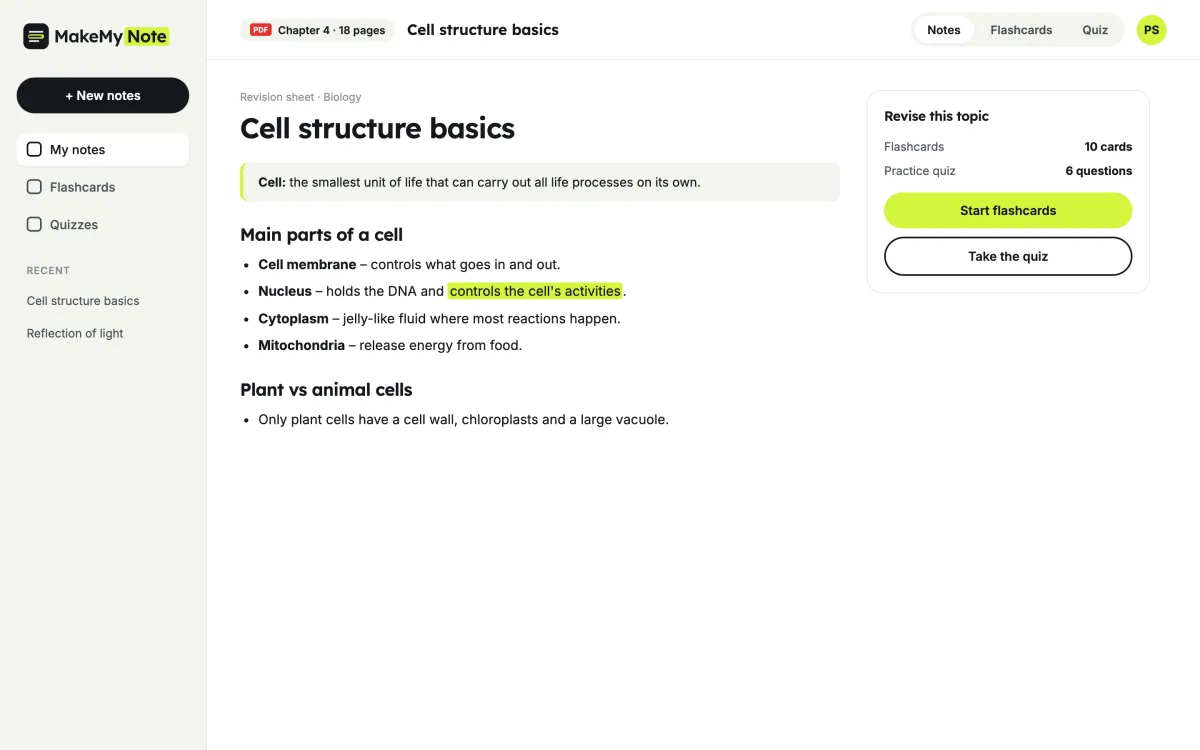
Here is a short example from a biology chapter. Every set of notes follows the same simple pattern, so it always feels familiar.
- A one-line definition at the top
- Key points under clear headings
- The most important line highlighted
- Flashcards to test yourself
Revision sheet · Biology
Cell structure basics
Cell: the smallest unit of life that can carry out all life processes.
- The nucleus controls the cell and holds its DNA.
- Mitochondria release energy from food.
- Only plant cells have a cell wall and chloroplasts.
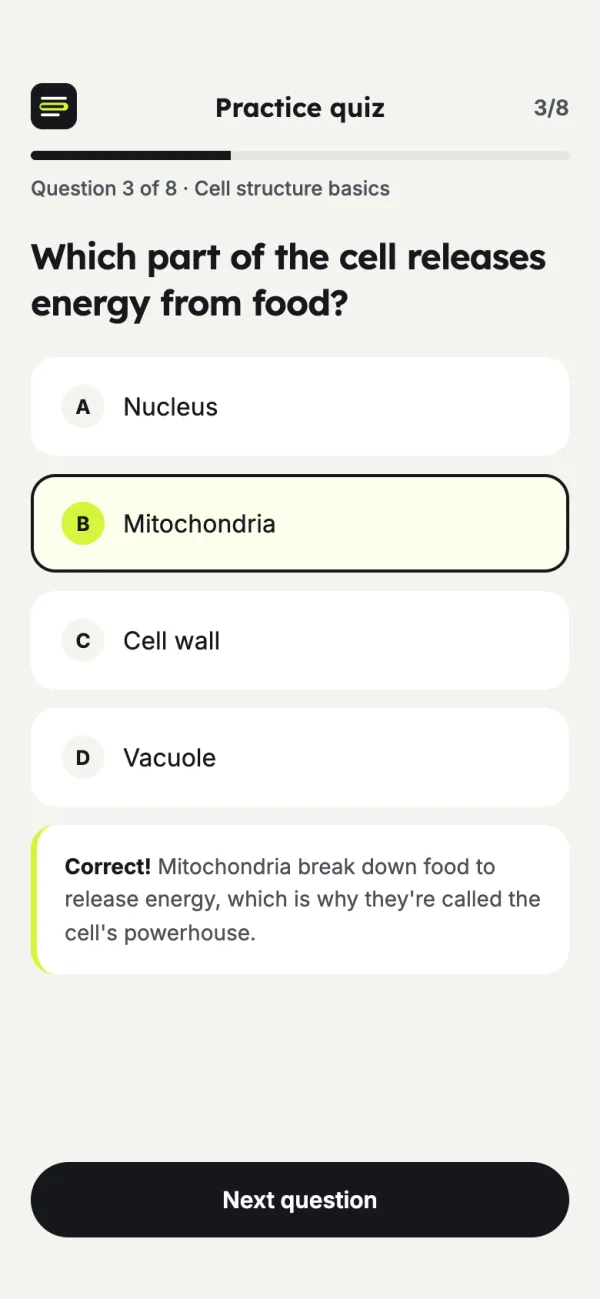
Flashcard: Which part of the cell releases energy from food?
Check what you remember with a quiz
Reading a chapter twice is not the same as knowing it. MakeMyNote writes a short practice quiz from your PDF, with a quick explanation for every answer.
- Multiple-choice questions from your own material
- A short explanation after each answer
- Works on your phone between classes
What you can upload
Textbook chapters
Turn a long chapter into a one-page summary before class or before a test.
Lecture slides
Slides are often just bullet points. Get the full idea behind each slide in plain words.
Articles and papers
Pull out the argument, the method and the findings from a long reading.
Class handouts
Keep worksheets and notes from teachers in one searchable place.
Highlighting vs revising smart
Reading and highlighting
- Pages of highlights you never look at again
- Hard to tell what actually matters
- No easy way to test yourself
With MakeMyNote
- The key ideas on one page
- Notes you can edit and keep
- Flashcards and a quiz from the same PDF
What students say
★★★★★
My history readings are 30 pages a week. I upload the PDF on Sunday and have a one-page summary for every seminar. It changed how I prepare.
Hannah W. History student, UK
★★★★★
Lecture slides finally make sense. The notes explain each slide instead of just copying the bullet points.
Daniel F. Engineering student, Netherlands
★★★★☆
The quiz from my anatomy chapter showed me exactly which terms I kept mixing up.
Chloe P. Nursing student, Canada
Frequently asked questions
Is it free?
Yes. The free plan gives you 5 sets of notes a month, each with flashcards and a practice quiz. Pro ($7.99 a month, or $59.99 a year) removes the monthly limit and handles longer videos and files. See pricing.
How long can my PDF be?
Up to 20 pages on the free plan and up to 300 pages on Pro. For a whole textbook, upload one chapter at a time for the clearest notes.
Does it work with scanned PDFs?
Yes, as long as the scan is clear and the text is straight. Very faint or blurry scans may give weaker notes.
Can I edit the notes?
Yes. You can read, edit and save your notes, then turn them into flashcards or a practice quiz.
Is my PDF kept private?
Yes. Your files and notes are only visible in your account, and you can delete them at any time. See our privacy policy.
More free study tools
Turn your next chapter into notes you can revise
Create a free account and upload your first PDF.